How to Get Started with Bantuhive
For Fundraisers (Campaign Creators)
How to Sign Up
Ready to bring your ideas to life and start raising funds for your project? We’ve made it super easy to sign up and kick off your journey. Follow the steps below, and you’ll be up and running in no time!
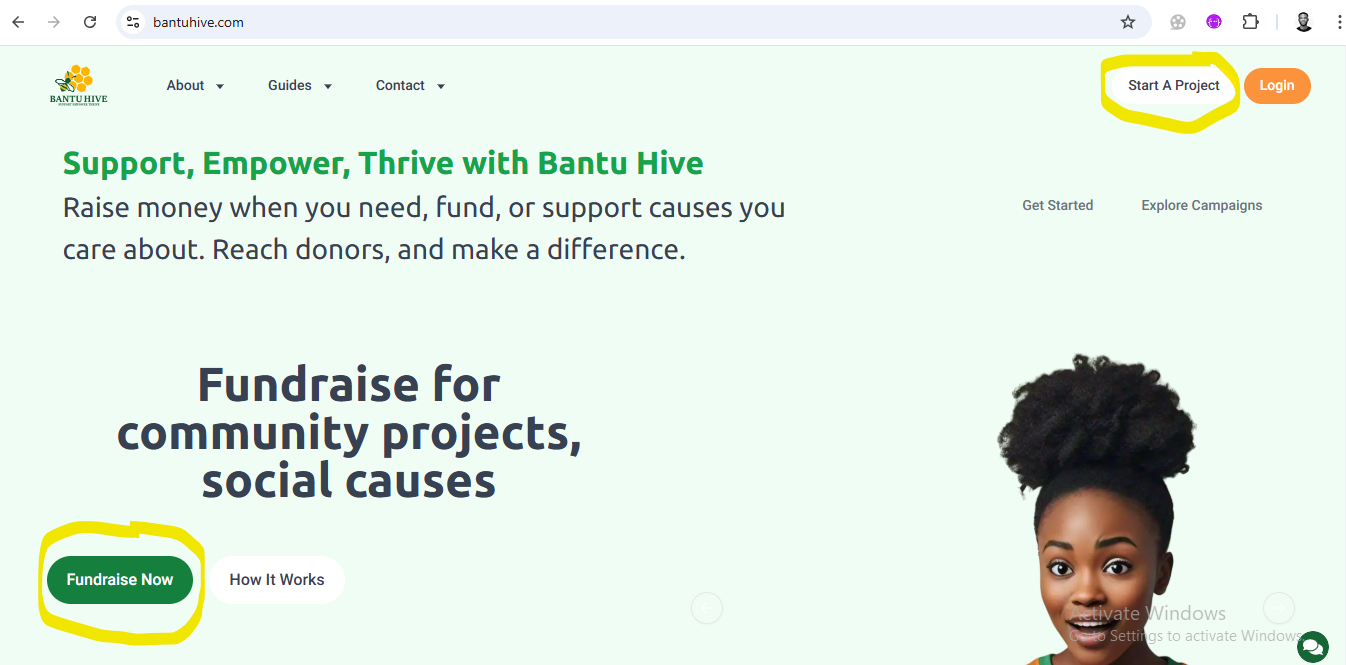
1. Click “Fundraise Now” or “Start a Project”
To begin your exciting journey with us, simply click the “Fundraise Now” or “Start a Project” button. You’ll be whisked away to the next step where the magic happens!
2. Enter your details
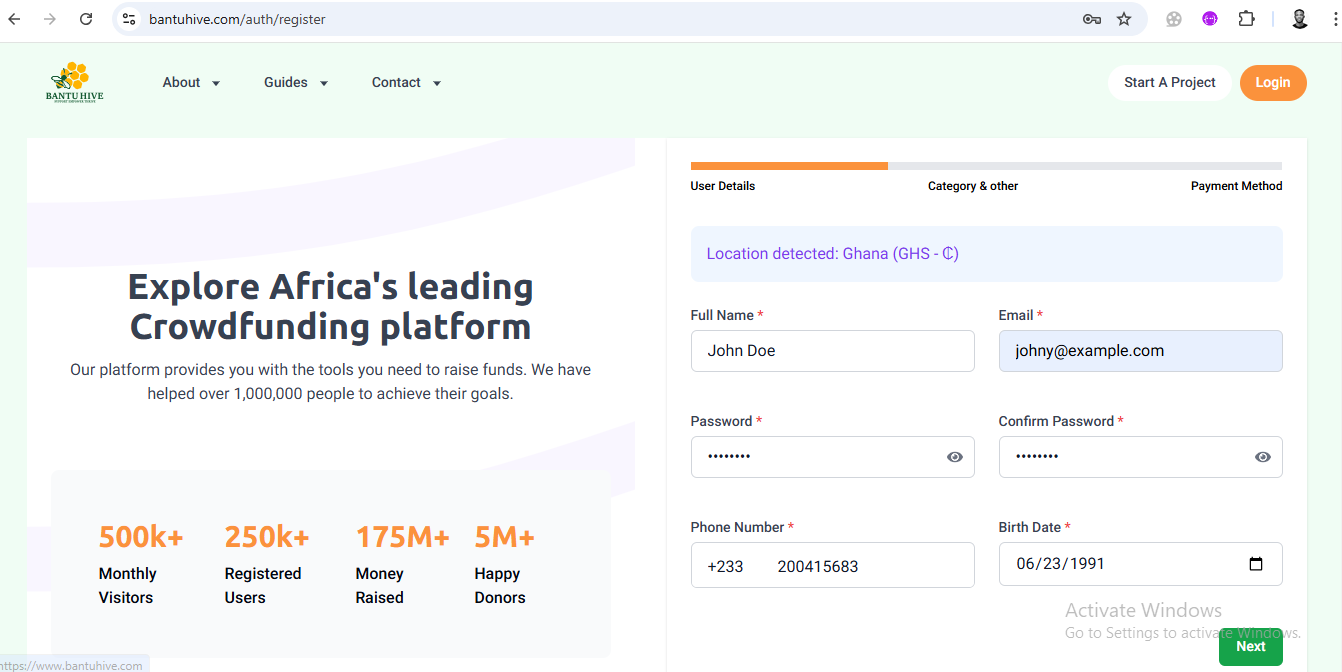
On the next screen, we’ll need a little info to create your account. Type in your Name, Email, Password, Birthdate, and Phone number. We promise we’ll keep your info safe and sound. Ready to get started? Just hit Next!
3. Select the campaign category
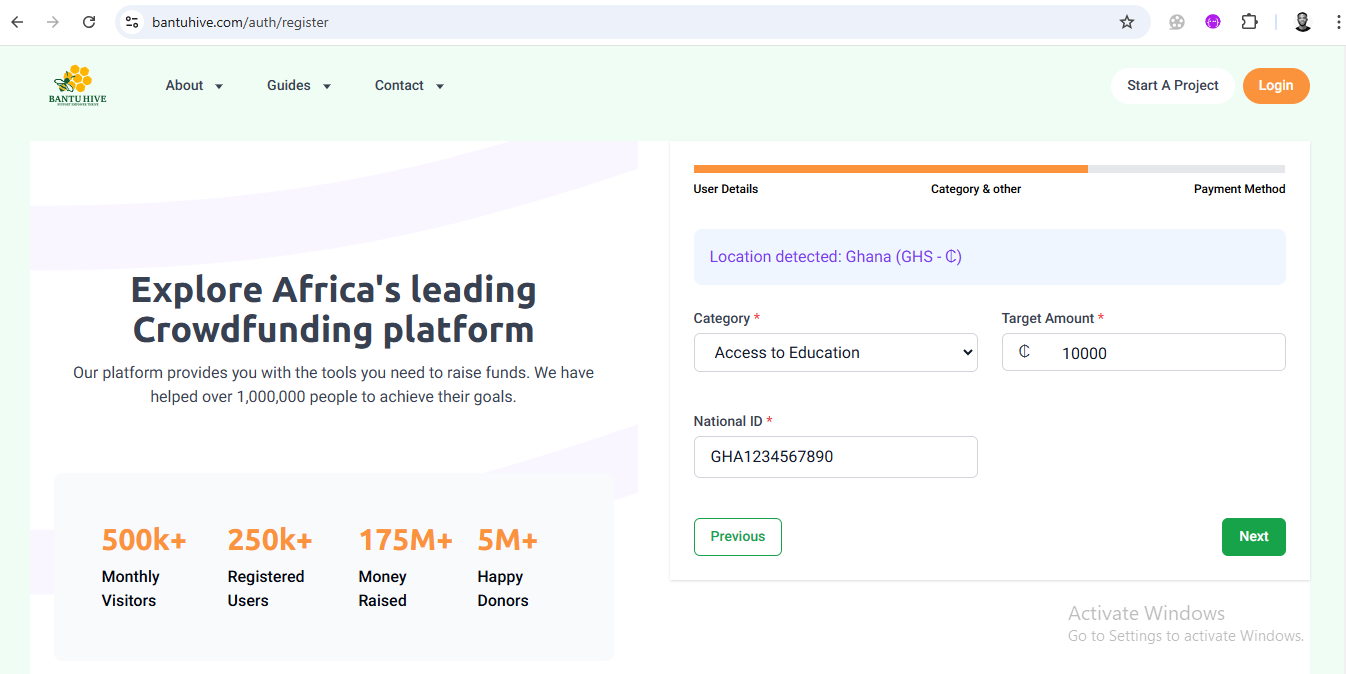
Now for the fun part—let’s create your campaign! Select a category that best fits your project (we’ve got tons of options!). Then, enter the target amount you aim to raise for your campaign. Oh, and don’t forget to provide your national ID for verification—it’s a quick step that keeps things secure.
4. Select your preferred method of withdrawing funds
Next, let us know how you’d like to receive your funds. You can choose the withdrawal method that works best for you—whether it’s a bank transfer, mobile money, or another option. We’ll make sure it’s smooth and seamless.
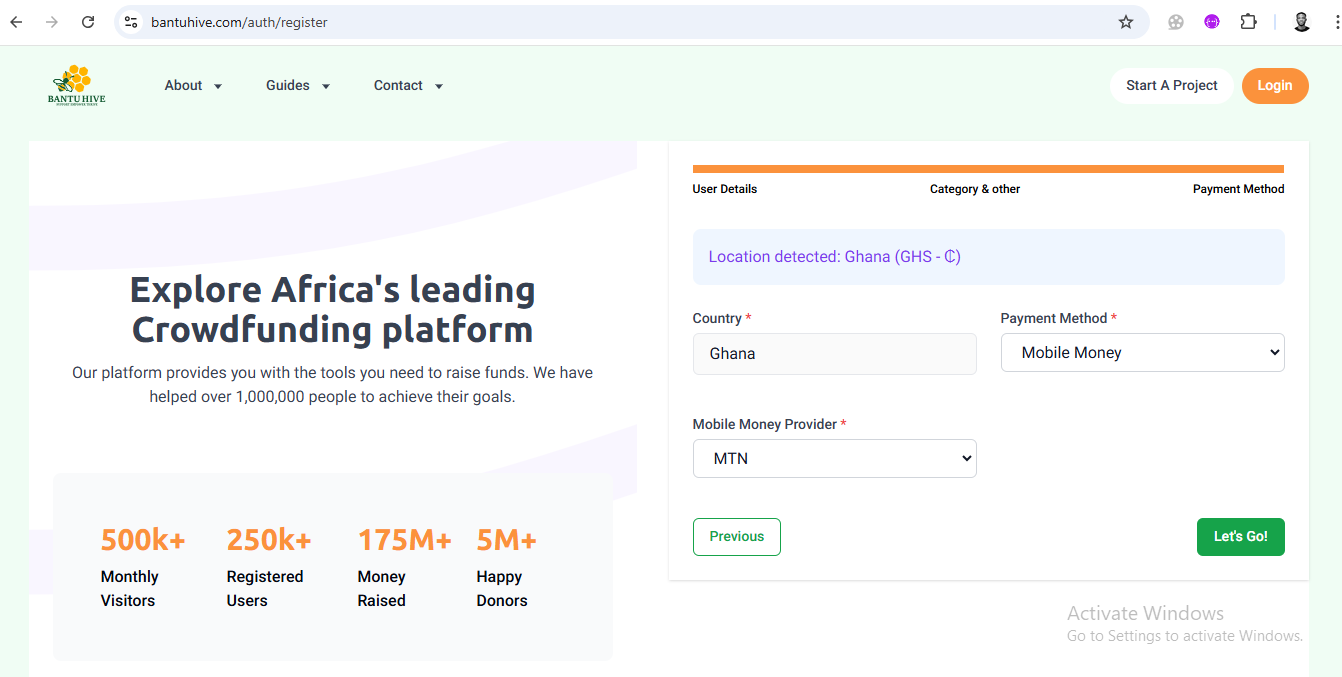
5. Click Let’s go and wait for an email confirmation
You’re almost there! Once you’ve filled out all the info, click “Let’s Go” and relax for a moment. We’ll send you an email confirmation to ensure it’s really you (safety first!).
6. Confirm your email
Head to your inbox and look out for our email. Once you find it, click the confirmation link to verify your email address. Easy peasy! If it’s not in your inbox, check your spam or junk folder—sometimes emails get shy.
7. Sign in and enjoy!
All set! Now that your email’s confirmed, sign in to your account, and you’re ready to start building your campaign. From here, you can manage your project, track donations, and connect with your supporters. Let the fundraising begin!
And that’s it—you're officially part of the Bantu Hive community! 🎉 We’re here to support you every step of the way, so if you need help, don’t hesitate to reach out.
How to Start a Campaign on Bantuhive
Now that you’re signed up, it’s time to make your mark and create your campaign! Whether you’re raising funds for a personal cause, business venture, or community project, we’ve got your back. Let’s walk through the steps to get your campaign live and start raising funds.
1. Land on your dashboard
After you sign in, you’ll land right on your dashboard—your campaign HQ! This is where all the magic happens. From here, you can manage your campaigns, track donations, and check out your progress. Ready to start? Let’s go!
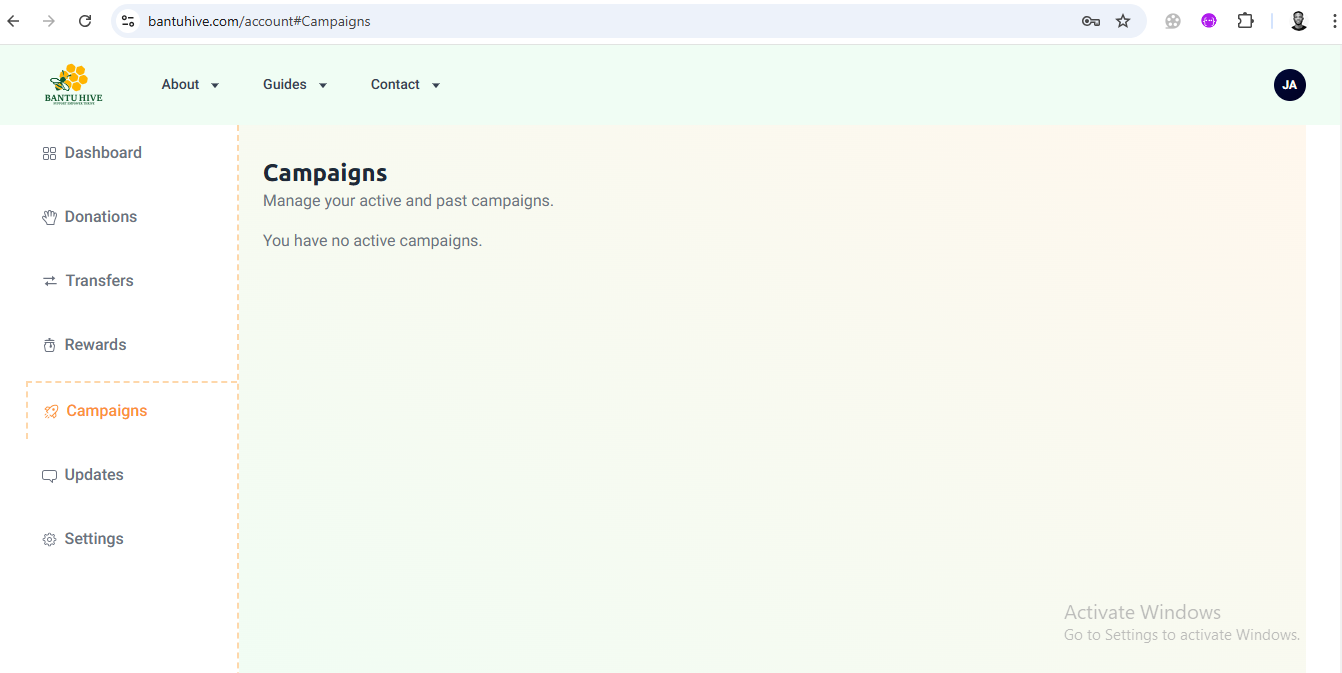
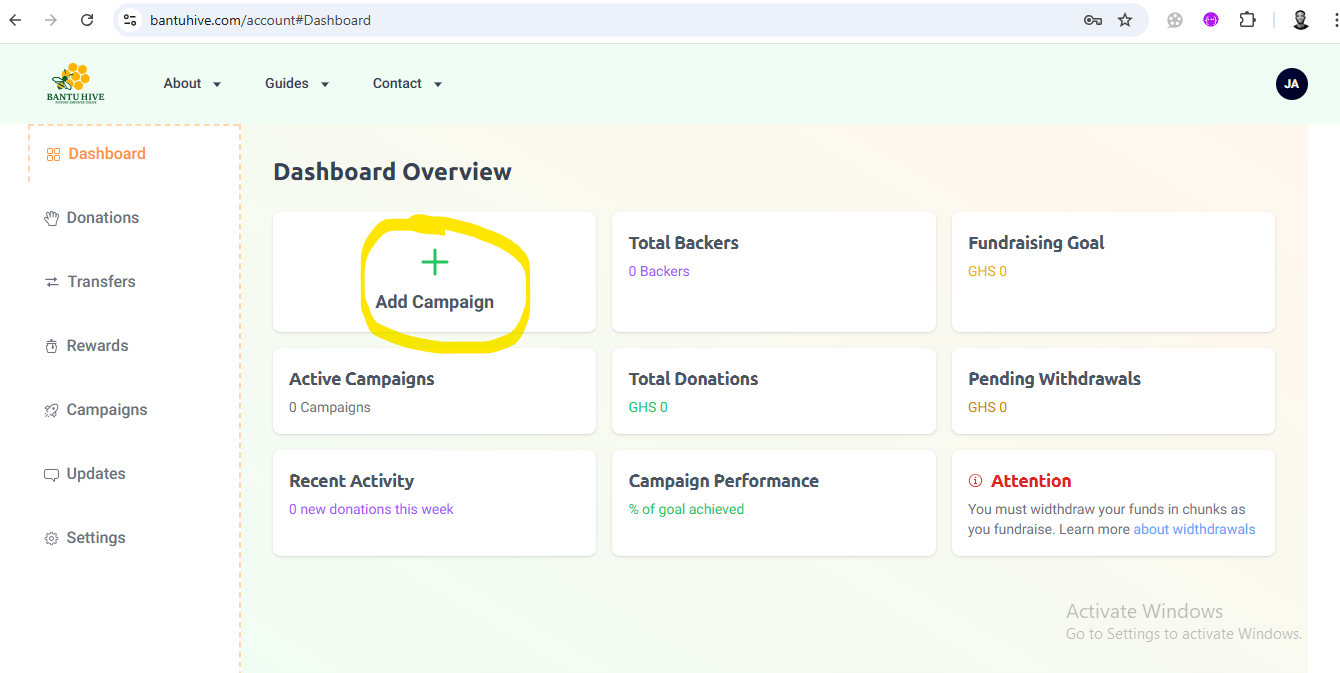
2. Click Add campaign
Look for the “Add Campaign” button and give it a click. This will kick off the campaign creation process. You’re one step closer to launching your project!
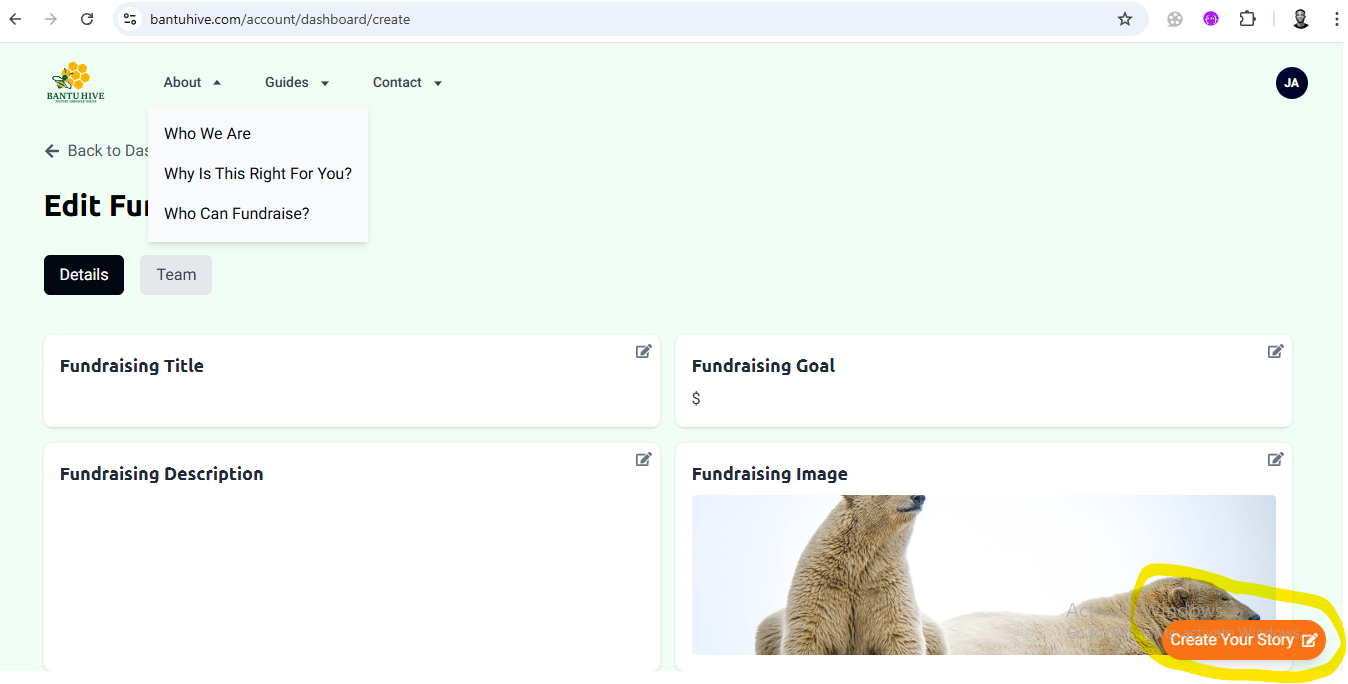
3. Click ‘create your story’
Now it’s time to tell your story! Click “Create Your Story” to begin filling out the details that will make your campaign shine. This is your moment to connect with potential supporters and share why your campaign matters.
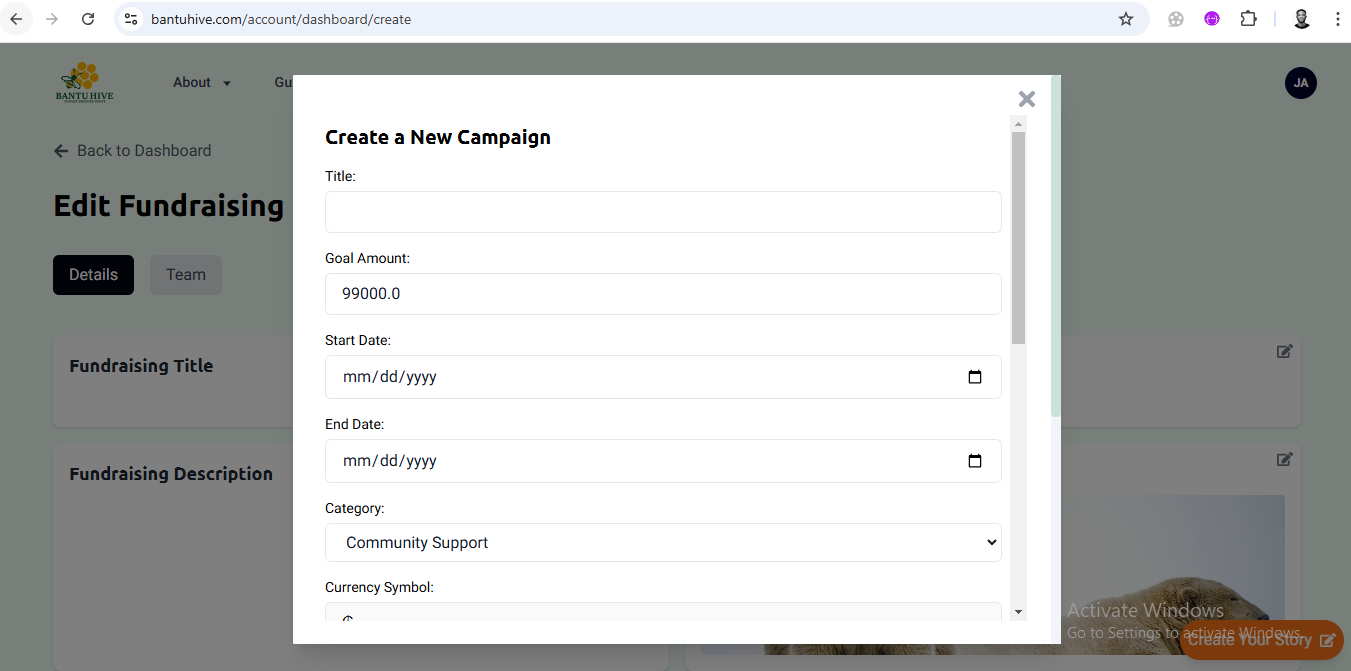
4. Fill in the details
This is where you bring your campaign to life! You’ll need to fill out the following:
- Title: Choose a catchy title that grabs attention.
- Goal Amount: How much are you aiming to raise? Set your target!
- Start and End Date: Let everyone know when your campaign is live and when it ends.
- Category: Pick the category that best matches your campaign (e.g., personal, business, charity, etc.).
- Compelling Description: This is your chance to really tell your story. Why is this campaign important to you, and how will the funds make a difference? The more heartfelt and clear, the better!
- Upload a Picture: Add a picture that represents your campaign. This will be the face of your project—make it eye-catching!
Once you’ve filled everything out, you’ll be one step closer to hitting launch.
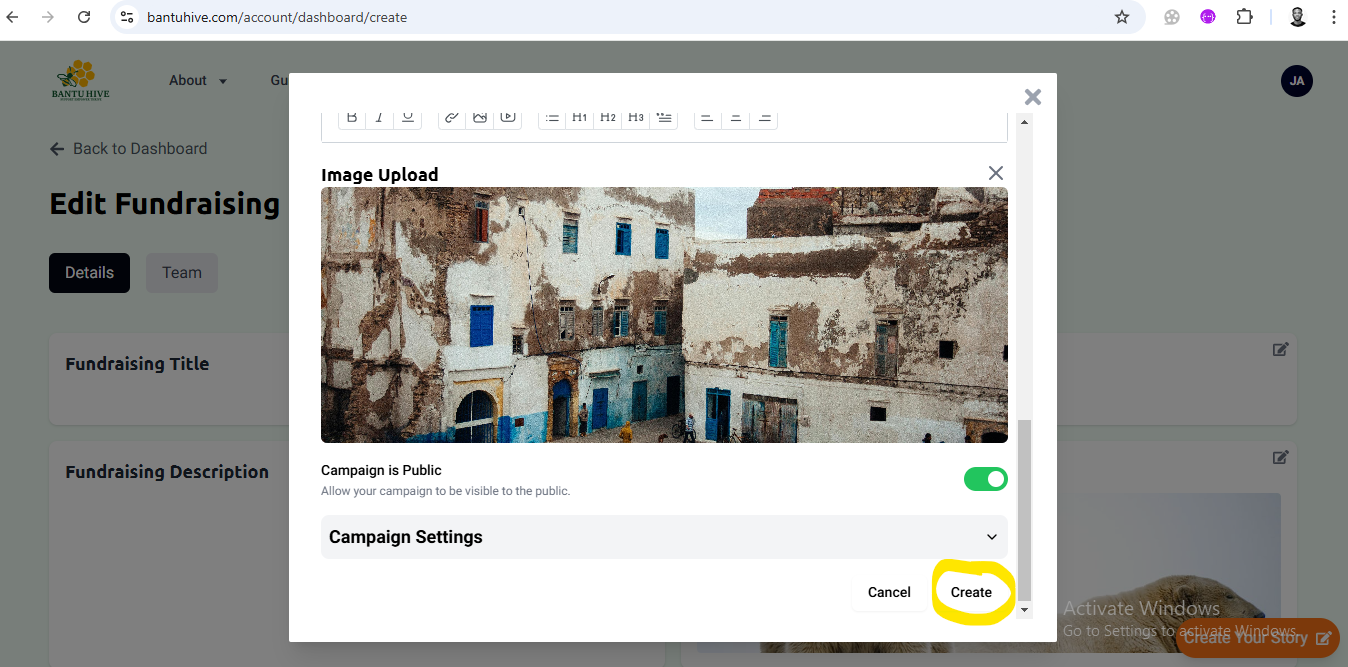
5. Click Create
Done with all the details? Nice! Click the “Create” button to finalize your campaign. This is where you officially bring your project to life on Bantu Hive. Take a deep breath—you’re almost there!
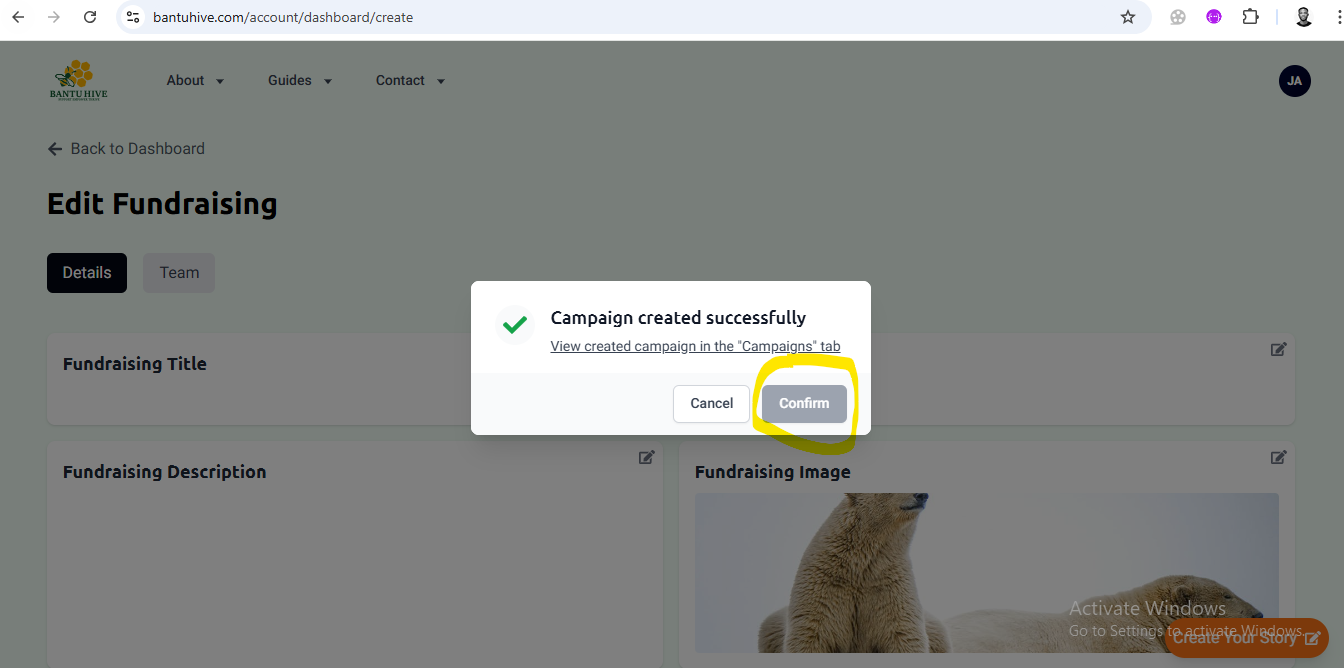
6. Click confirm to go to the campaign.
A quick confirmation will pop up, asking you to either Confirm or Close.
- Confirm: If everything looks good, hit Confirm to go straight to your campaign page and get started.
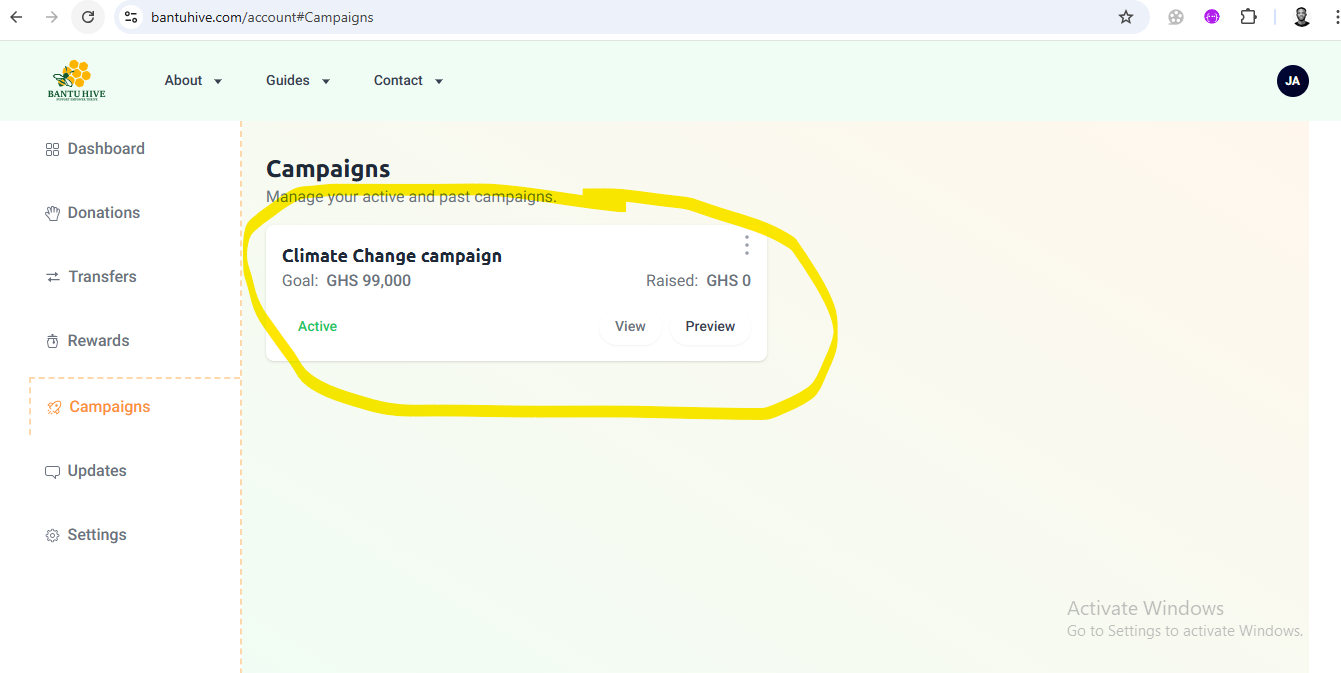
- Edit/Delete: If you need to make changes or rethink your campaign, you can click the three vertical dot on the campaign from the dashboard to delete it and start fresh or edit it.
Campaign Photo Guidelines
To ensure your campaign looks its best and attracts potential backers, please follow the guidelines below when uploading your campaign photo.
-
Resolution:
- Photos must be high resolution with a minimum of 1920 x 1080 pixels.
- Low-quality or pixelated images will not be accepted.
-
Format:
- Acceptable formats include JPEG, PNG, and WEBP.
-
Clarity:
- Your photo should be sharp and clear. Avoid images that are blurry, pixelated, or distorted.
-
Lighting:
- Ensure the image is well-lit and easy to see. Natural or balanced lighting is best.
-
Size and Orientation:
- Both portrait and landscape orientations are acceptable, but make sure the image displays well on both mobile and desktop devices.
-
Relevance:
- The image should be directly related to your campaign. It should clearly represent your project or cause.
-
Appropriateness:
- The photo should be respectful and professional. Images containing offensive or inappropriate content will be removed.
-
Watermarks and Text:
- Please avoid adding watermarks or excessive promotional text on the image itself. Keep it clean and focused on your project.
By following these guidelines, you’ll ensure that your campaign image is as effective as possible and gets the attention it deserves. Thank you for your cooperation!